 Herald
Herald
Herald
The moment a call rings, Herald matches the caller against your HubSpot contacts and pops the record right inside Webex. When the call ends, it writes the notes back automatically — no searching, no typing.
Works in a browser, an installable desktop app, or the Herald sidebar inside the Webex App.
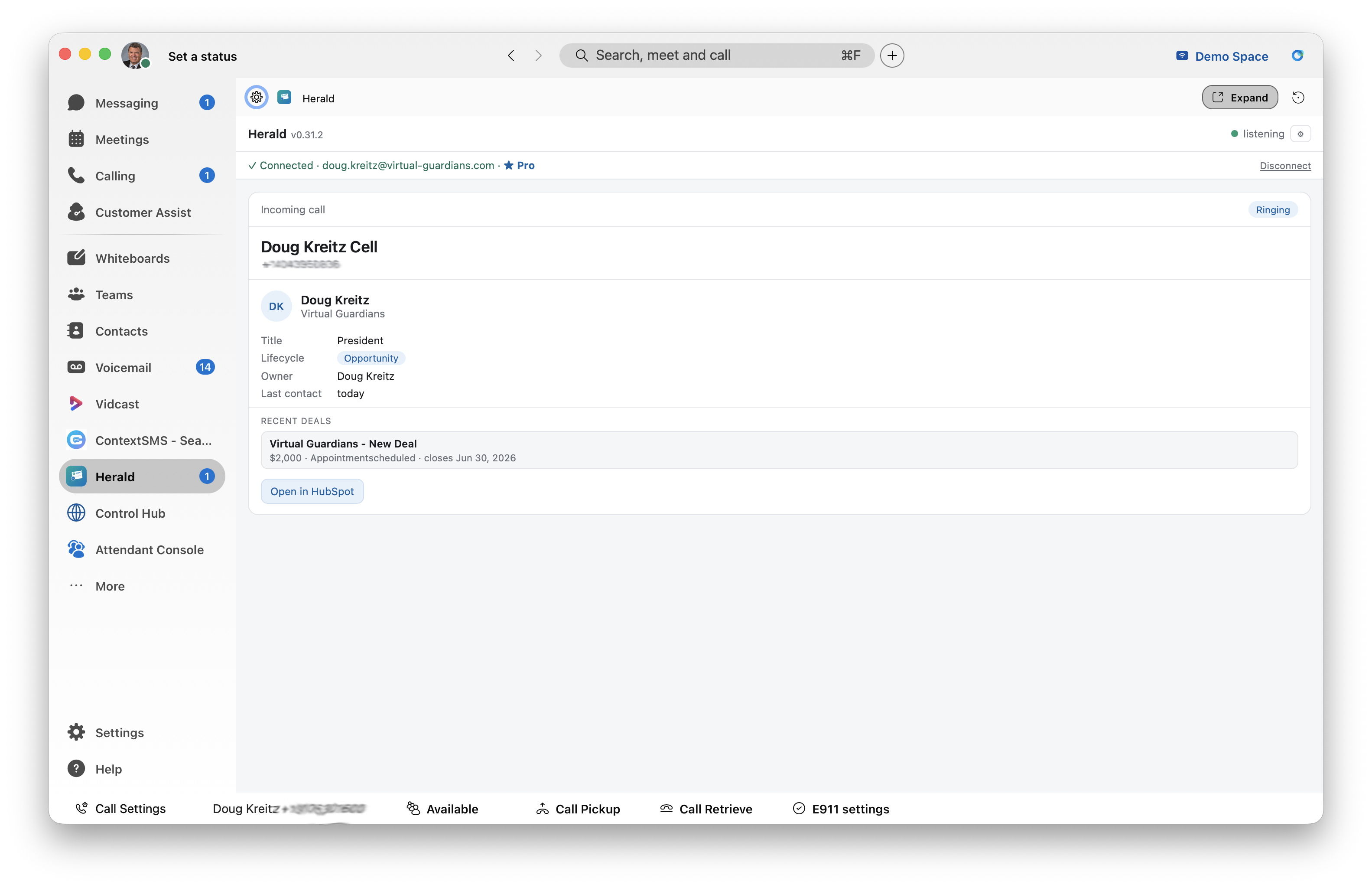
Herald turns a ringing phone into a warm conversation, then keeps your CRM current without anyone lifting a finger.
The instant a call connects, Herald matches the number to your HubSpot contacts and pops the record — name, company, open deals, and recent activity.
After a recorded call, Herald appends the AI call summary — or the transcript — to the matched CRM record, so the next rep already has the context.
Use Herald in a browser window, install it as a desktop app, or open the Herald sidebar right inside the Webex App. Same pop, everywhere.
An administrator sets Herald up once — agents just sign in.
Place your order at herald.virtual-guardians.com/order with your Webex Org ID. New organizations are provisioned immediately.
From the Admin Console, authorize Herald with a standard HubSpot OAuth connection — read access to contacts, deals, and owners.
Link your Webex organization so Herald can receive Calling events and provision your agents. Then every call pops.
Give every rep the caller's full story before they say hello.